
Immersion tracking
SubMiner records what you watch and mine in a local SQLite database and shows it in a stats dashboard. Tracking is on by default. Nothing leaves your machine.
What gets tracked
- Watch sessions: time watched, subtitle lines seen, words seen, cards mined, pauses and seeks.
- Every primary subtitle line you see, with its timing, so you can search and mine from it later.
- Vocabulary and kanji you encounter, with how often and where.
- Library entries per show and episode, with cover art from AniList (or TMDB for live action) and YouTube channel metadata.
An episode counts as watched once you reach 85% of it.
Setup
Tracking needs no setup. To turn it off or move the database:
{
  "immersionTracking": {
    "enabled": true,
    "dbPath": "",
  },
}
An empty dbPath stores immersion.sqlite in SubMiner's config directory (~/.config/SubMiner/ on Linux). Set a path to keep it elsewhere.
To share stats and watch history between machines, use subminer sync <host>. It merges both databases. Copying the file with a cloud sync tool makes one side overwrite the other.
Open the dashboard
- In the overlay: focus it and press the
stats.toggleKeykey (Backquote by default). - In a browser: run
subminer stats, then openhttp://127.0.0.1:6969(or yourstats.serverPort). Setstats.autoOpenBrowserto open it automatically. - Background server:
subminer stats -bstarts a stats server that keeps running without the launcher attached.subminer stats -sstops it. You can still start SubMiner for playback while it runs.
subminer stats fails if immersionTracking.enabled is false. The server only answers on localhost, so reverse proxies and Tailscale Serve URLs do not work.
Stats dashboard
Overview
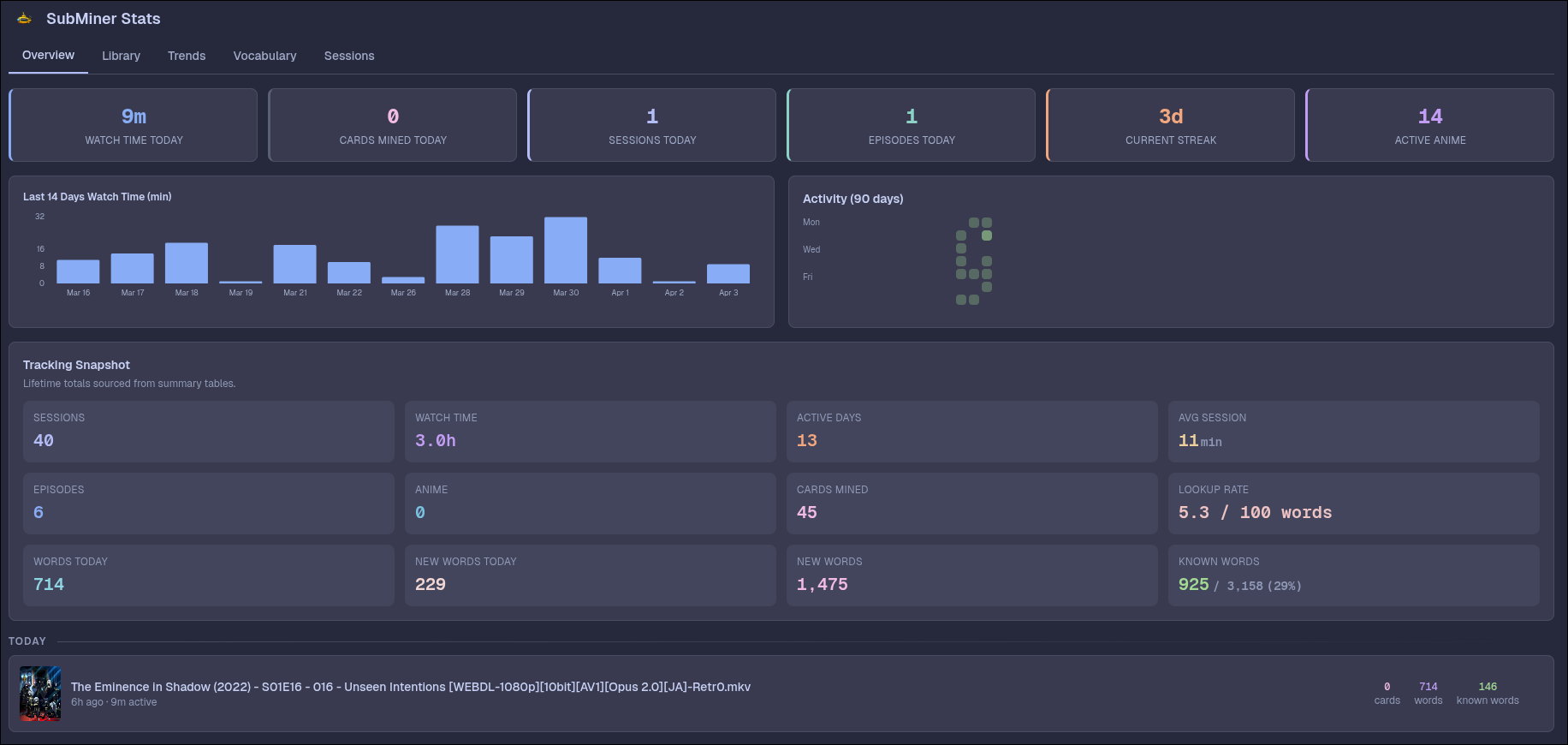
Recent sessions, a streak calendar, watch-time history, and totals for completed episodes and shows.
Deleting a session or session group refreshes the Overview totals, charts, calendar, and vocabulary summary automatically. If a refresh fails, Overview keeps the previous totals visible and offers Retry.
Library
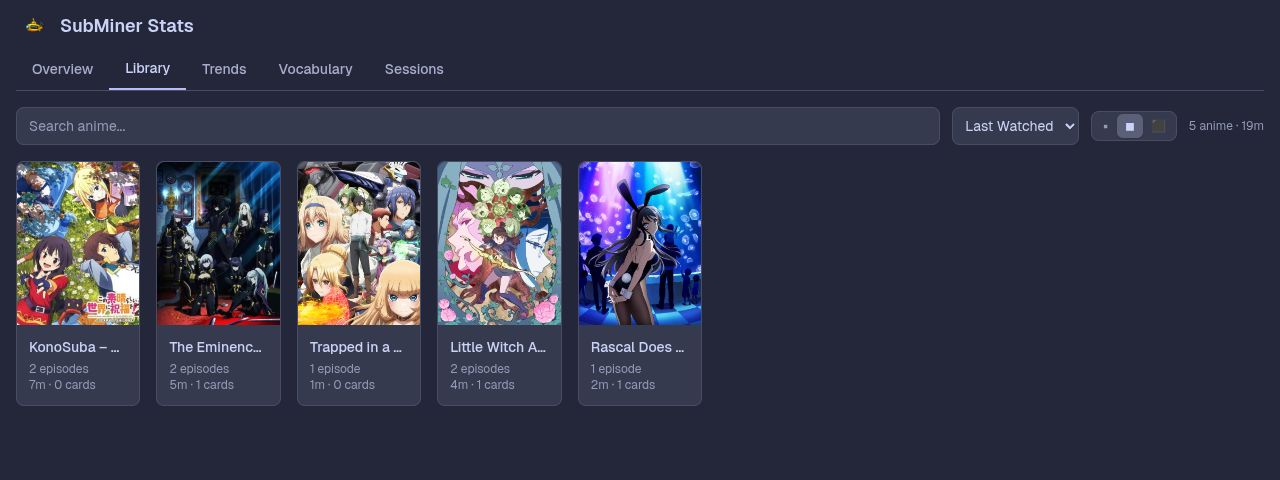
Your shows as cover-art cards with search, sorting, per-series progress, and an episode list linking to mined cards. The All Titles / Anime / Live Action / YouTube selector filters the grid. YouTube videos are grouped by channel.
Seasons get separate cards when a season number is detected. Live-action titles that AniList cannot match are looked up on TMDB. If a title gets no match, open it and use Link to TMDB to pick one by hand.
The same show can end up on several cards when release names disagree. To fix that:
- Merge: click Select, tick the duplicate cards, choose Merge Selected, and pick the entry to keep. Sessions, cards, and watch time move over, and future episodes with those names join the kept entry.
- Move one episode: hover its row in the episode list and click → to assign it to another entry. SubMiner remembers the correction.
- Suggested merges appear as Possible duplicate above the grid. Choose Review merge or Not duplicates.
Delete Entry in a title's header removes the show with all its episodes, sessions, and lines. You cannot delete the title that is currently playing.
Trends
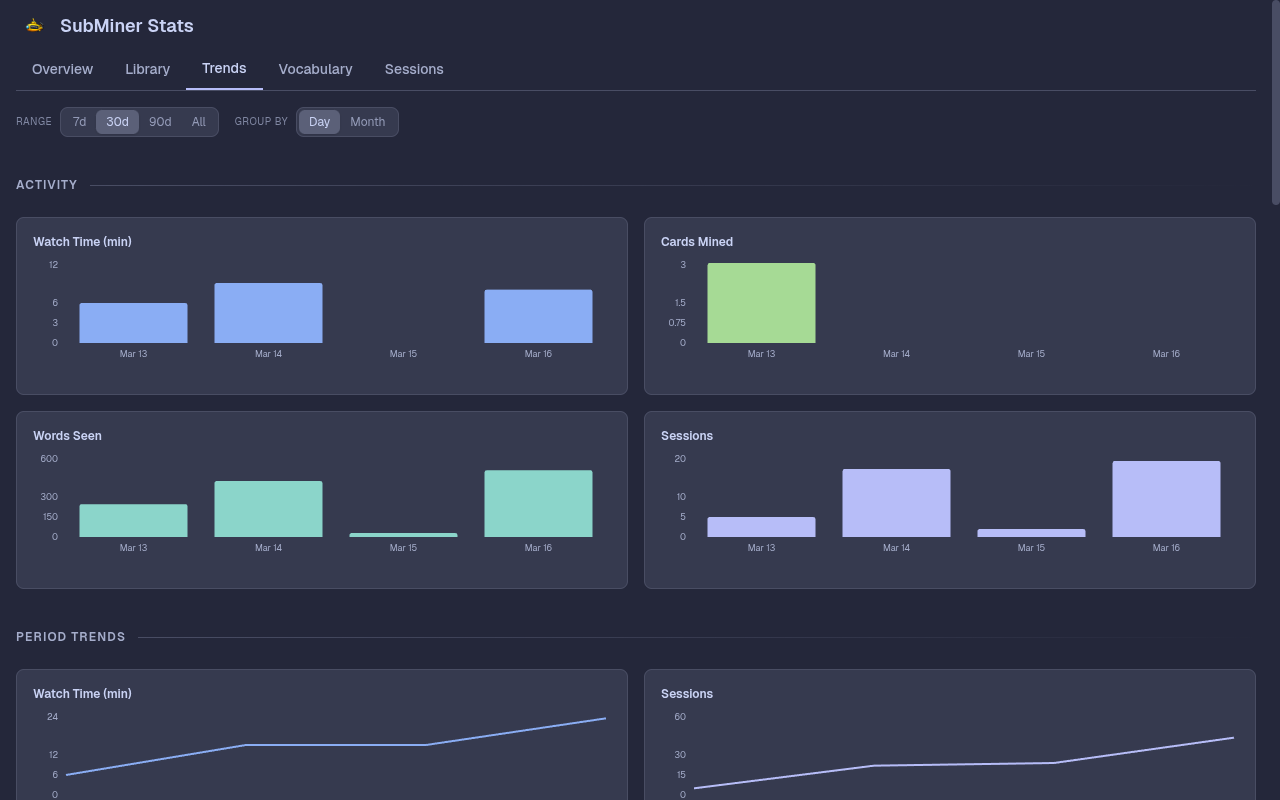
Pick a date range (or set Custom dates), group by day, week, or month, and the whole page follows. Your choices are remembered.
- Summary: totals for the range, compared with the period just before it.
- Activity: watch time, cards, words, and finished episodes. Click a bar to open that period's sessions.
- Learning: new words per 1,000 words seen, and how common those new words are. Conjugations of a word count once, and names are left out.
- Efficiency: words per minute, cards per hour, and lookups per 100 words. Daily views use a rolling 7 days, and gaps mean too little data to rate.
- Running total: one chart with a switcher for each metric, climbing from zero at the start of the range.
- Patterns: a day and hour heatmap of when you watch.
- Titles: a timeline of what you watched when, and a sortable summary table. Click a title, or use the filter box, to narrow the page to it. ↗ opens the title.
An episode counts as finished once, on the last day you watched it.
Sessions
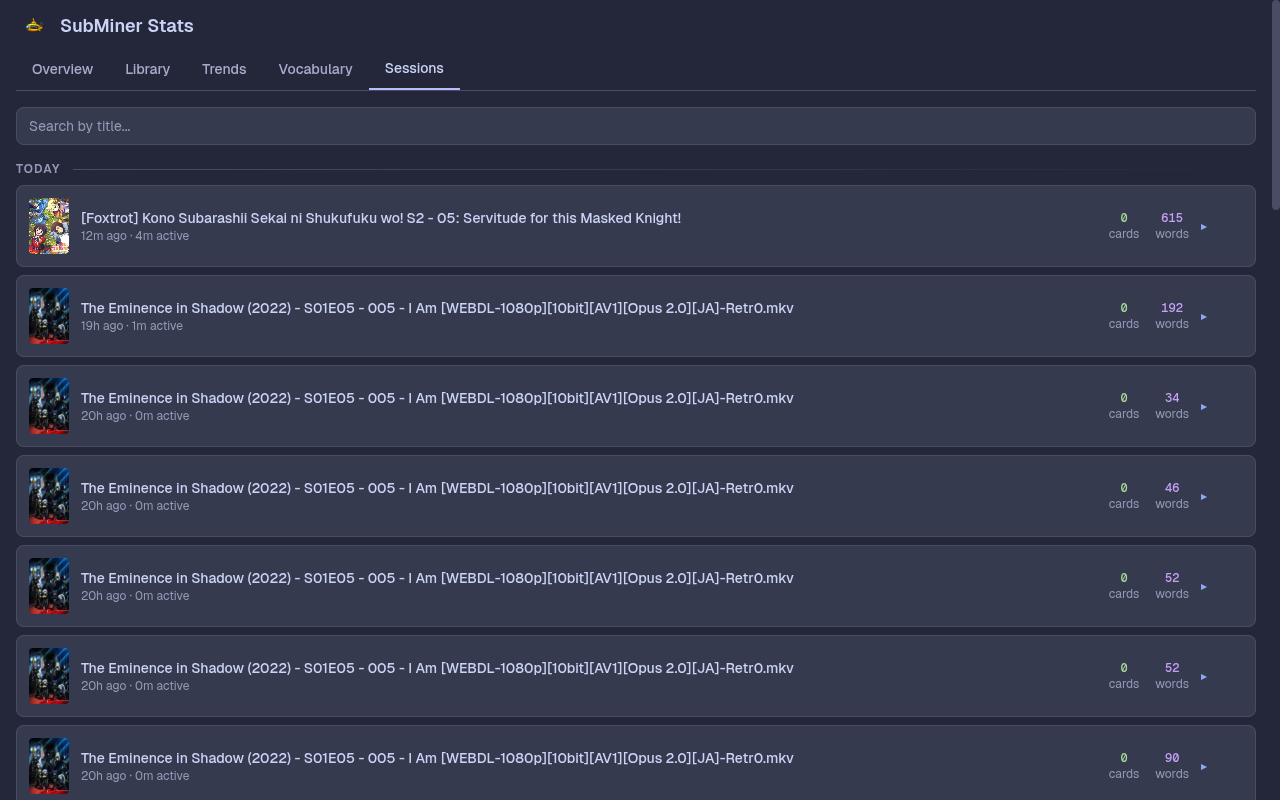
Session history. Expand a session for its pace, lines, known-word rate, lookups, and paused time, plus a reading density chart of known and unknown words over the session with Yomitan lookup ticks and clickable card-mined markers underneath. The ↗ button on a row opens that show's detail view.
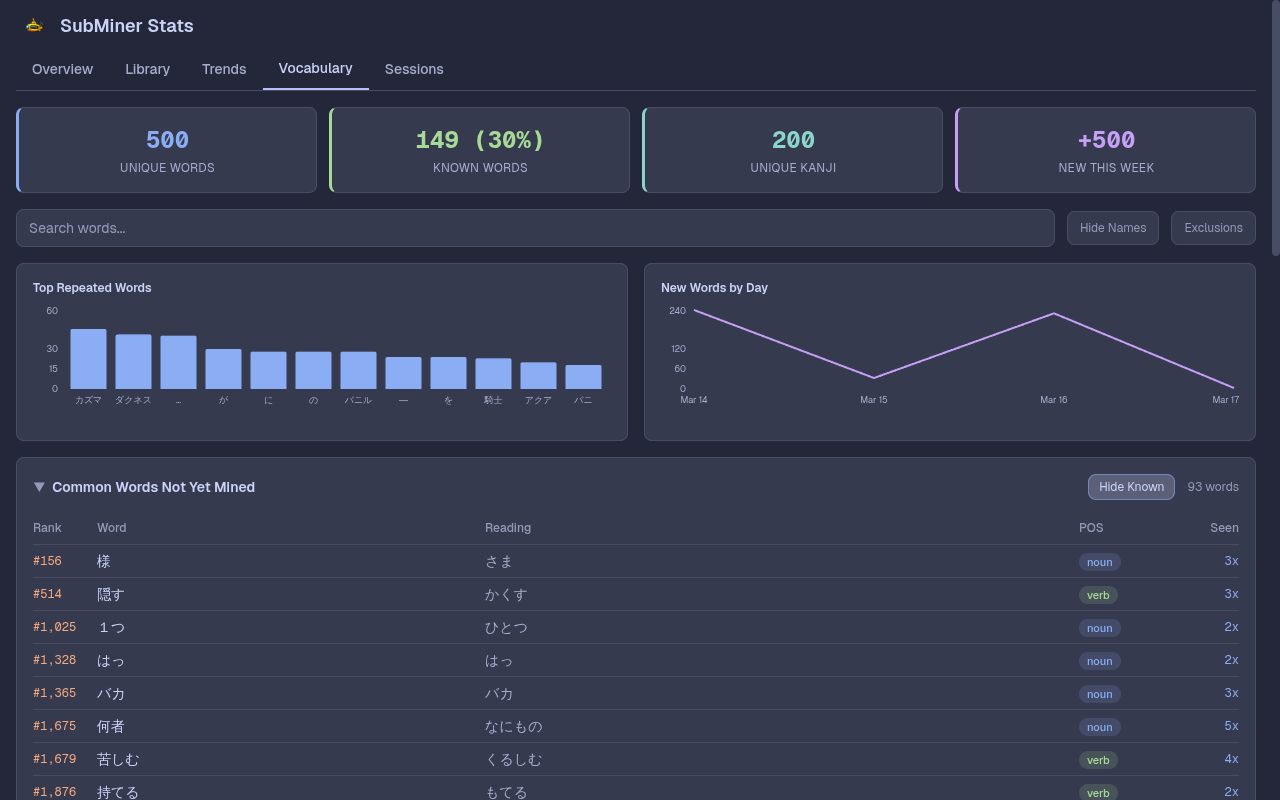
Vocabulary
Words are counted as dictionary words, so a word's conjugations count once. Names are left out unless you turn off Hide names.
- Summary: words seen, how many are in Anki, new words this week, and kanji seen.
- Known Words by Frequency: how much of each frequency band you already know.
- Vocabulary Growth: your running total of words seen.
- Words: one table for every word you have seen. Worth mining lists common words you haven't mined, most seen first. All words, Across titles, and Newest are the other views. Sort by any column, or filter by known words, names, kana, and part of speech. Searching looks through everything, including conjugated forms and readings. Click a word for its forms, where it appeared, and example lines you can mine from. Hide excludes a word.
- Kanji: every kanji you have seen, shaded by how often. Dashed kanji are not in any word you know.
Exclusions at the bottom of the page lists hidden words so you can restore them. Clean up duplicates removes lines repeated by karaoke openings and animated signs (see Repeated lines).
Search
Searches the primary subtitle lines and titles in your history. Search by headword is on by default, so 知らない also finds inflected forms. Turn it off for exact text matching. Secondary subtitles are not searched.
Mining from the dashboard
Search results and the Vocabulary word panel can create cards from past lines, as long as the source video file is still available. Lines from a stream, such as Jellyfin or YouTube, have no file to cut clips from, so they say so instead of offering mining. Lines you can mine are listed first. The word panel counts how many of a word's lines this affects, and the word table marks words with only streamed lines as Stream only.
- Mine Word: looks up the word with the selected dictionary backend (Yomitan or Hachidori), plus sentence, audio, and image. The history line you picked is the card's sentence, even while mpv plays another line. Hachidori uses its own Anki template, dictionary aliases, and frequency data.
- Mine Sentence: a sentence card with
IsSentenceCardset, for Lapis and Kiku note types. - Mine Audio: an audio card with
IsAudioCardset.
Word and audio mining appear only when the word occurs in the sentence. All three use your ankiConnect deck, note type, fields, and media settings. Anki must be running, and Mine Word needs dictionaries in the selected backend.
Dashboard cards also get the SubMiner::Stats tag. With the Anki proxy off, SubMiner uses it to keep the chosen history line when polling picks up the card.
Repeated lines
Karaoke openings and animated signs repeat the same text once per frame. SubMiner collapses these as it records, so one lyric is stored once. Stats recorded before that can hold hundreds of copies and skew Top Repeated Words.
To clean them, use Clean up duplicates in the Vocabulary tab: pick a time window, Scan to preview, then Clean Up. Or from the terminal:
subminer stats cleanup --duplicate-lines --dry-run --lookback-days 30
subminer stats cleanup --duplicate-lines --lookback-days 30
Leave out --lookback-days to scan all history. Word and kanji counts are corrected. Watch time and session totals are not changed.
Maintenance commands
| Command | What it does |
|---|---|
subminer stats cleanup | Repair word readings and part of speech, drop words that fail the filters |
subminer stats cleanup -l | Recompute lifetime totals from episode history, keeping old totals |
subminer stats cleanup --duplicate-lines | Collapse repeated karaoke and sign lines (see above) |
subminer stats rebuild and subminer stats backfill run the same lifetime repair as cleanup -l.
Retention
By default SubMiner keeps everything. To limit history, set immersionTracking.retentionPreset to minimal, balanced, or deep-history, or set the immersionTracking.retention.*Days values yourself (0 keeps all). Lifetime totals and vocabulary counts are stored separately and stay exact when old sessions are pruned.
Deleting retained sessions preserves earlier word and kanji discovery dates from pruned history. New occurrences record observation time so deletion can update their dates exactly. Older history used write time, so an earlier discovery date is preserved when its origin cannot be determined.
See Immersion tracking and Stats dashboard in the config reference for every option and default.